Advanced Settings
The Advanced Settings section contains three main components: Chunking, Metadata, and Video Settings.
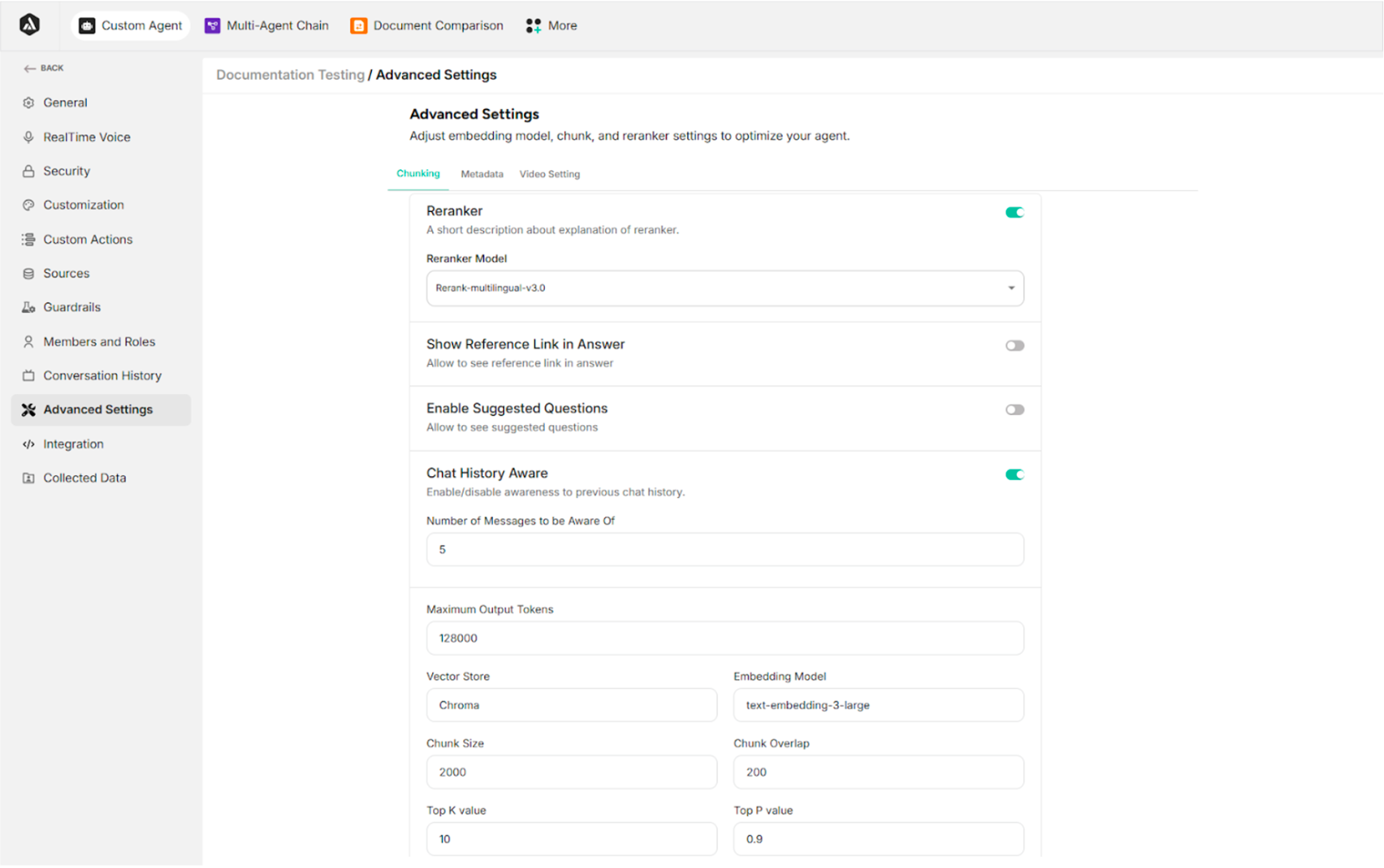
10.1. Chunking
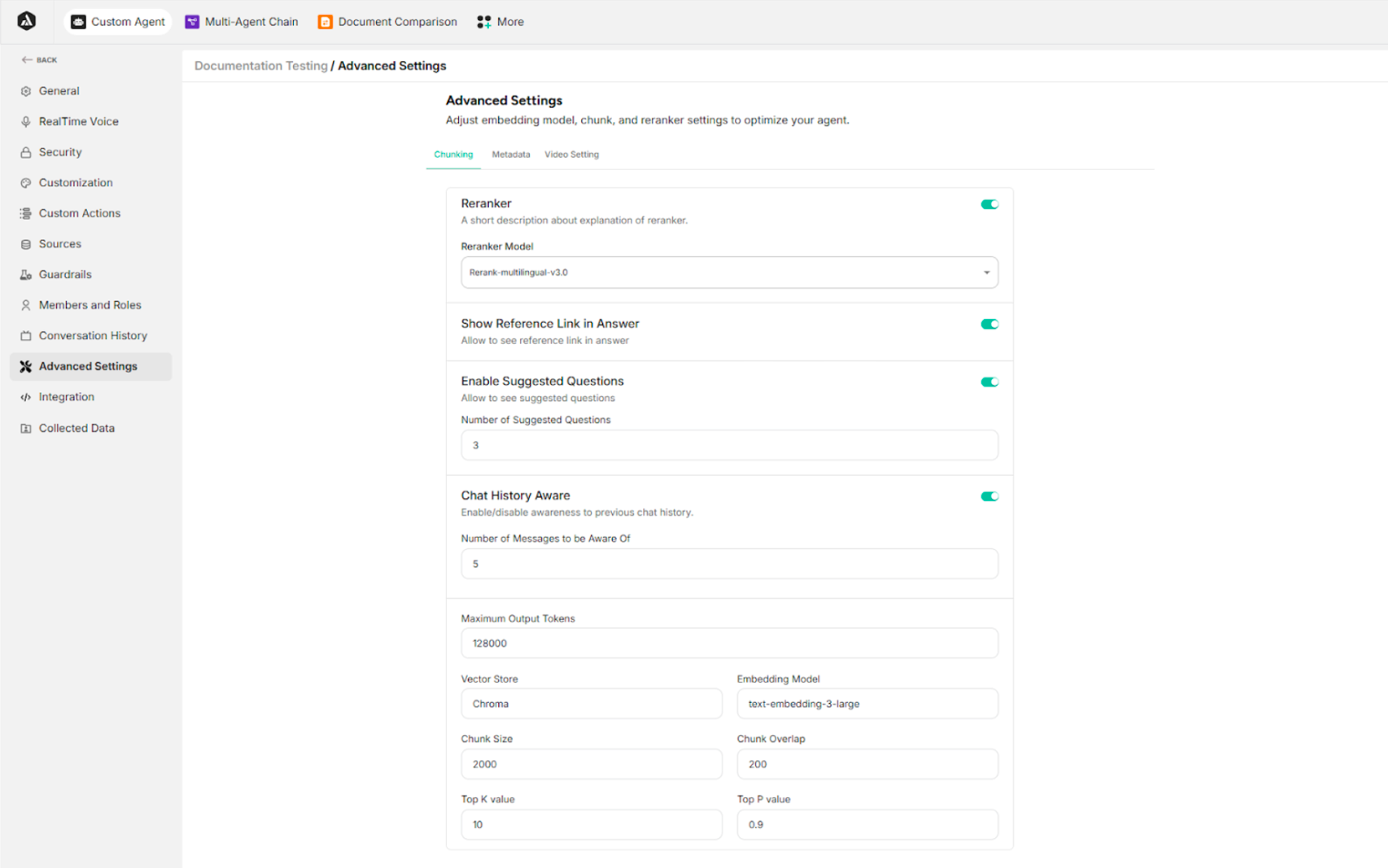
| Field/Setting | Description |
|---|---|
| Reranker (Toggle Switch) | Enables or disables the Reranker service |
| Reranker Model | Specifies the Reranker model to use |
| Show Reference Link in Answer (Toggle Switch) | Allows the AI agent to include source links in its responses |
| Enable Suggested Questions (Toggle Switch) | Displays follow-up questions to guide the conversation |
| Number of Suggested Questions | Defines how many suggested questions the agent generates |
| Chat History Aware (Toggle Switch) | Enables or disables the agent's ability to remember previous messages to maintain context |
| Number of Messages to be Aware Of | Defines how many prior messages the agent considers when generating responses |
| Max Output Tokens | Sets the maximum number of tokens the AI agent can generate in a single response |
| Vector Store | Specifies the database to use |
| Embedding Model | Identifies the specific embedding model to use |
| Chunk Size | Determines the maximum size (in tokens or characters) of document pieces before processing |
| Chunk Overlap | Sets the amount of shared content between consecutive chunks |
| Top K Value | Limits the search to a fixed number (K) of the most relevant results when generating responses |
| Top P Value | Controls response diversity using nucleus sampling |
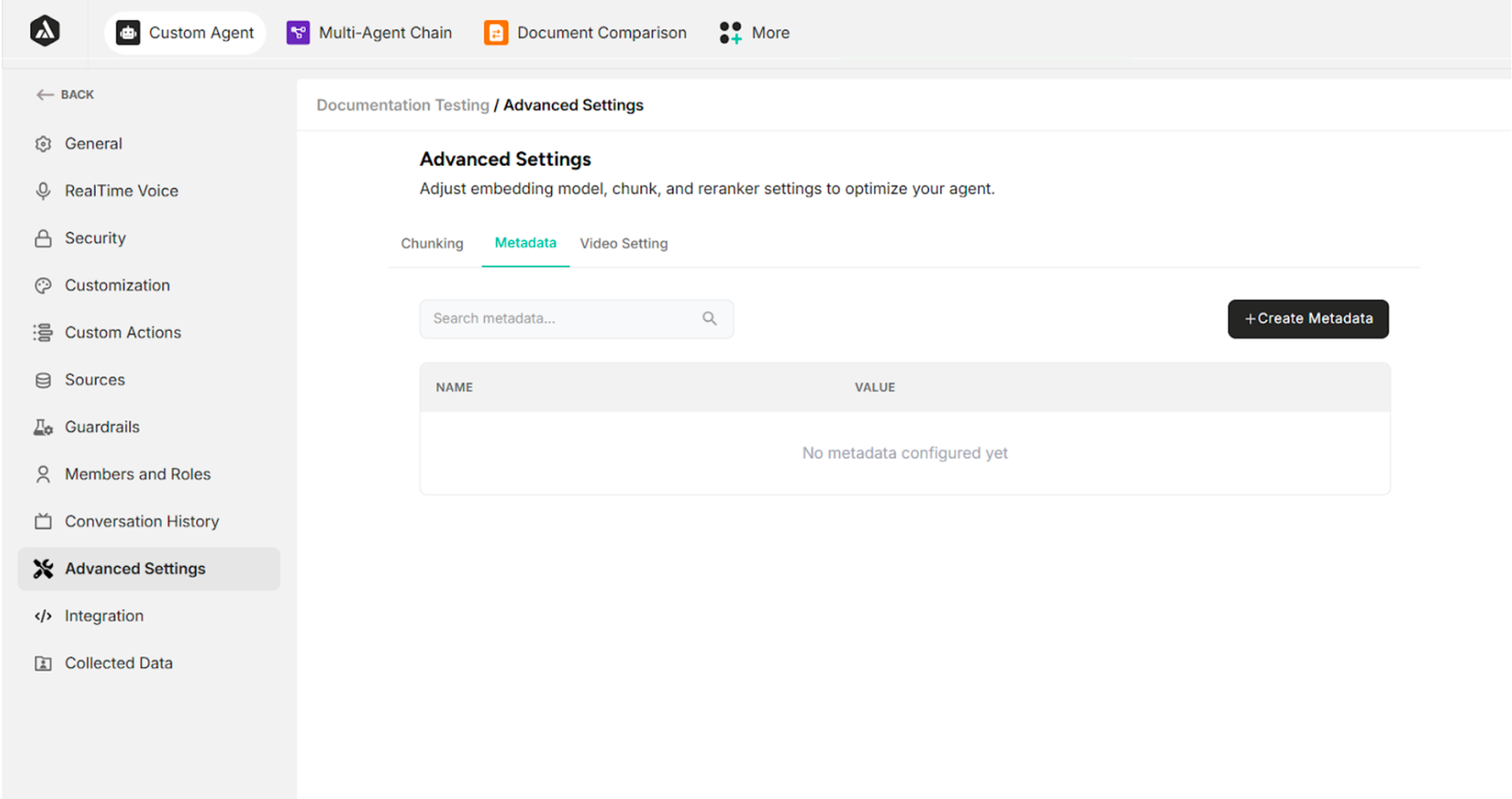
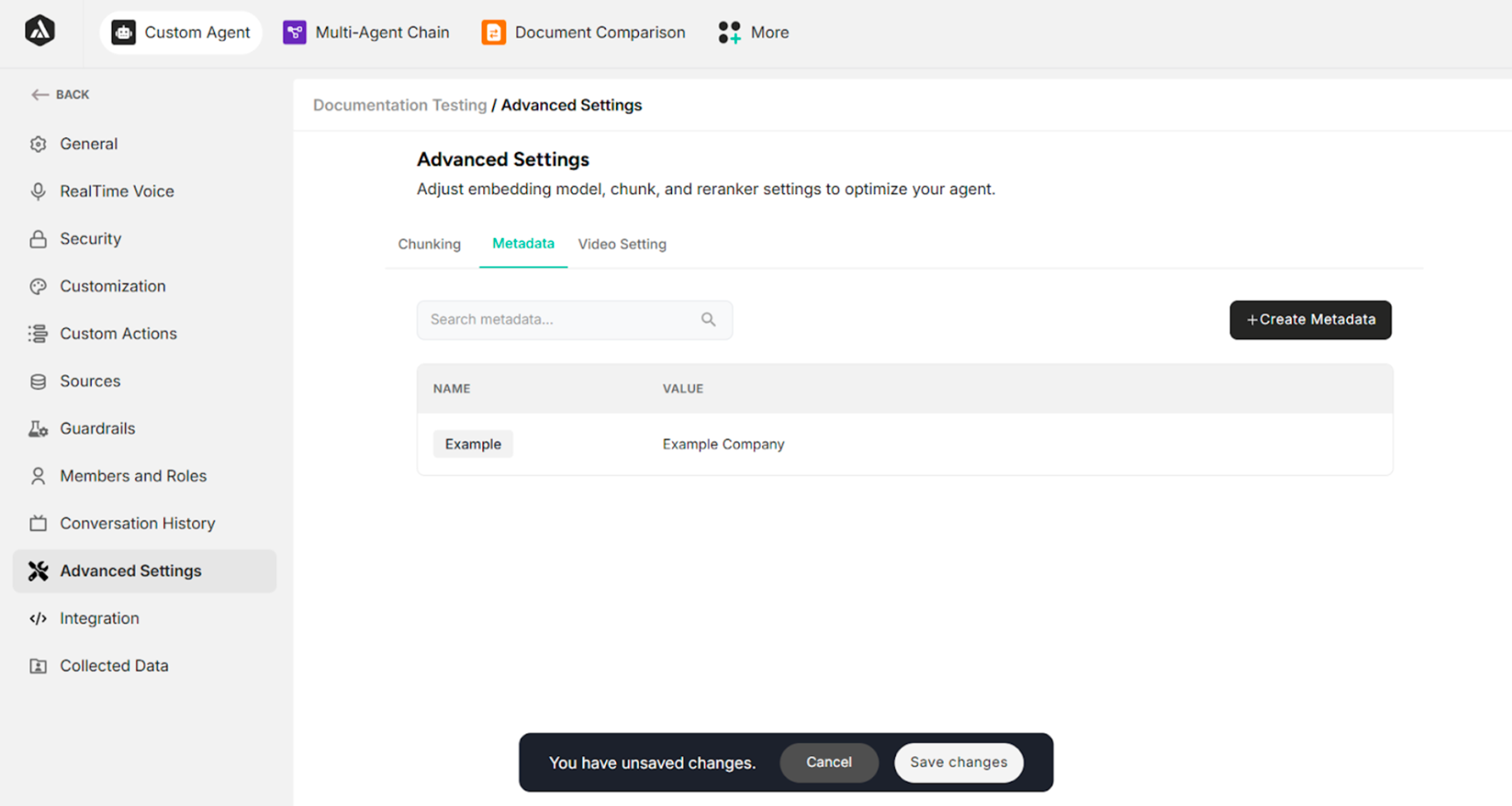
10.2. Metadata
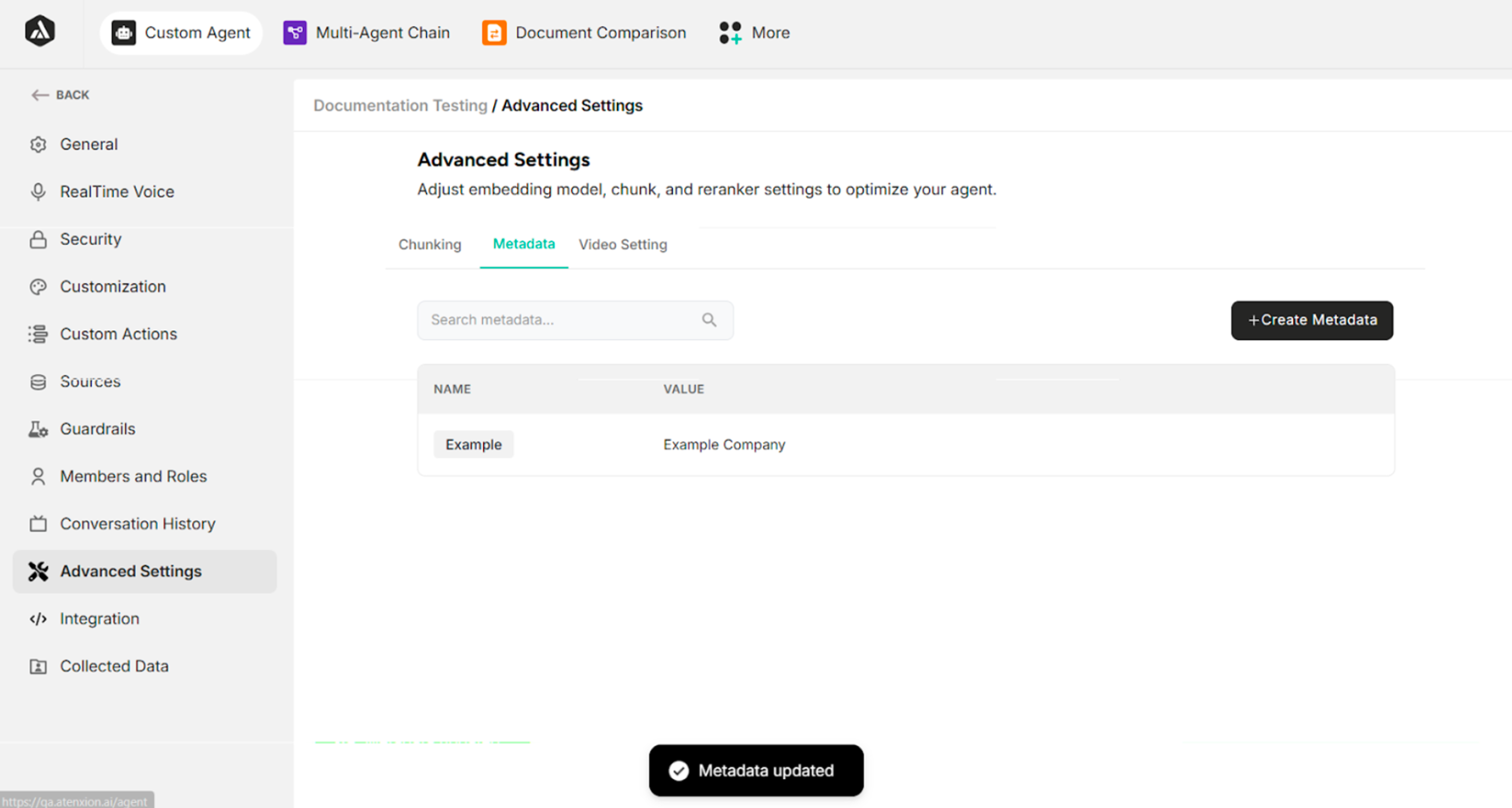
The Metadata section provides essential descriptive context to organize and manage the agent's data sources effectively.
| Field/Button | Description |
|---|---|
| + Create Metadata | Creates new metadata |
| Name | Defines the metadata name |
| Cancel | Cancels metadata creation |
| Create | Creates the specified metadata |
| Save Changes | Saves metadata updates |
Table: Fields and Buttons under Metadata
10.3. Video Settings
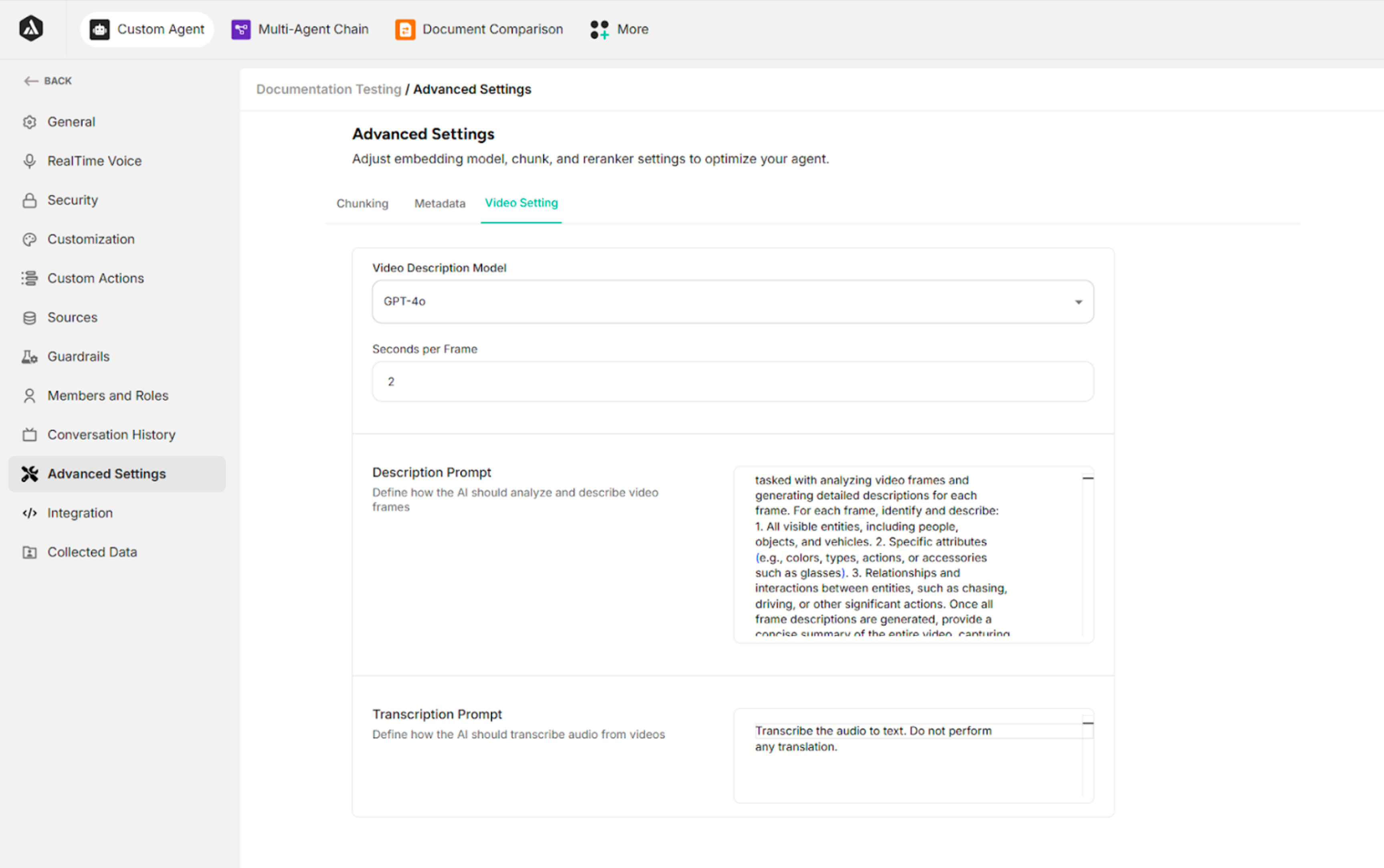
| Field | Description |
|---|---|
| Video Description Model | Selects the AI model used to analyze video content and generate descriptions |
| Seconds per Frame | Defines the time interval (in seconds) between video frames that the AI analyzes |
| Description Prompt | Instructs the agent on how to analyze video frames and what details to include in descriptions |
| Transcription Prompt | Guides the AI on how to transcribe audio from videos into text format |